Restaurant ordering system
Take orders on your restaurant’s own page
Customers order pickup or scan a QR code at the table. Orders print in your kitchen, and you set how many it takes at once. No monthly fee and no lock-in. You pay 2% per order.
No card required · No sales call · Live in about ten minutes · Australian owned and run
Setting it up
Four steps, about ten minutes
No sales call, no contract to sign, no hardware to wait for. Everything happens online, and you can go live in the same session you sign up.
Create your account
Sign up and pick your web address. It becomes yourrestaurant.windsordigital.com.au. No card required.
Import your menu
Photograph your printed menu. AI reads every item, price and category, and you review it before anything goes live.
Connect your bank
Link your Australian bank account through Stripe. Takes about five minutes and needs your ABN. Payments land directly in your account.
Publish and print your QR codes
Set your hours, hit publish, and download a QR code for each table. Your dashboard chimes on the first order.
Order caps
Your kitchen decides how many orders it takes
Most ordering systems will happily send you forty orders at seven o’clock and let you work out the rest. Windsor Digital does not. You set how many orders you can handle in each pickup window, and when one fills up the next customer is offered a later time instead of piling onto the same rush.
Nothing gets turned away. The night spreads out, and the kitchen is never handed more than it can cook.
- Set your own limit per pickup window, and raise or lower it for known busy periods
- Full windows show as unavailable to customers before they order, so there is no overbooking
- Orders print to your kitchen printer the moment they land, with no tablet to watch
Live venues
A whisky bar in Surry Hills found us on Google, set up their own kitchen printer and took their first order. We never spoke to them.
Don · Surry Hills, Sydney
A Melbourne pizzeria has printed every online order on its kitchen printer since June.
Frequently asked questions
Windsor Digital charges 2% per transaction with no monthly fee, no setup fee, and no contract. On $2,000 per week in orders that is $40 per week. Standard Stripe processing fees (about 1.7% + 30c) apply separately. Enterprise platforms typically charge $200–500 per month plus a percentage, so for a smaller independent restaurant Windsor Digital usually costs less.
No. Customers order through a webpage on their phone by scanning a QR code at the table or following a link. There is nothing to download. The ordering page works on any modern smartphone browser.
Windsor Digital is designed to be live in under 10 minutes. You create an account, import your menu (manually or by photographing your existing printed menu, our AI reads it automatically), connect your Stripe account for payments, and publish. QR codes for your tables are available immediately.
Yes. Windsor Digital supports dine-in QR code ordering, pickup ordering, and scheduled pickup with time slots. You can set a maximum number of orders per pickup window and override that cap for known busy periods. Customers see which slots are available and which are full before they order.
Your ordering system.
Live in 10 minutes.
No monthly fee. No contract. No credit card required to start. Just your restaurant, your brand, and your customers ordering the way they want to.
Set up my ordering page →2% per transaction · Australian-built · Cancel any time
Read more
Still weighing it up? This is the long version, for when you want the detail.
What a good restaurant ordering system actually includes
A restaurant ordering system is the combination of software and hardware that lets your customers place and pay for orders digitally, whether they are sitting at a table, waiting at a counter, or ordering ahead for pickup. The best systems do this without friction for customers and without complexity for the people running the restaurant.
Here is what matters, and how Windsor Digital delivers each one:
Every restaurant on Windsor Digital gets a branded ordering page at their own subdomain, yourrestaurant.windsordigital.com.au. Customers browse your full menu, see photos and descriptions, and add items to their cart without downloading anything. The page works on any phone, any browser.
Print a QR code for each table, customers scan, order, and pay without flagging down a staff member. Windsor Digital generates QR codes for every table you configure. No third-party QR generator needed. The code links directly to your ordering page.
Customers can order for immediate pickup or choose a specific time slot. You set the pickup windows and a maximum order count for each one. If a window fills up, customers see it as full before they order, no overbooking, no scrambling in the kitchen during peak times.
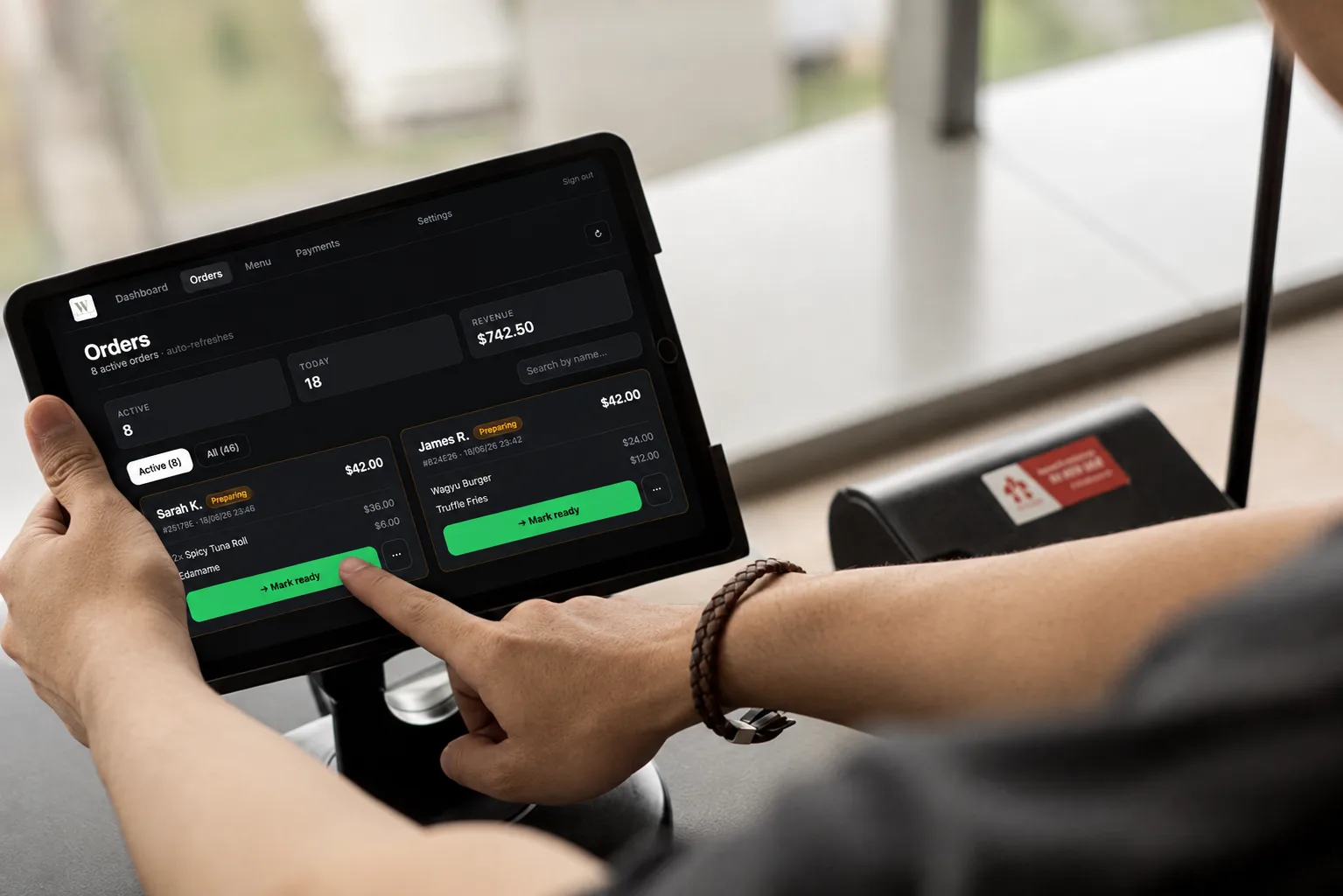
Every order appears on your dashboard the moment it is paid. An audio chime alerts you to new orders so you are not watching a screen all day. Orders refresh every 15 seconds automatically. You can mark orders as in-progress or complete from any device, phone, tablet, or laptop.
Payments go directly to your bank account via Stripe Connect. Windsor Digital takes 2%, on top of Stripe's standard card processing fee. There is no delay, no manual payout request, no holding period beyond Stripe's standard settlement. Orders are only created after payment succeeds, so there are no unpaid orders on your dashboard.
Add new items, update prices, toggle availability on or off, and organise items into categories, all from your phone or computer. Our AI photo import can read your existing printed menu and create your entire digital menu in under a minute. You review before publishing, so nothing goes live by accident.
How the big names compare
There are three categories of restaurant ordering system available in Australia. Understanding which category you are looking at, and who it is actually built for, will save you a lot of time.
| Feature | Delivery apps | Enterprise platforms | Windsor Digital |
|---|---|---|---|
| Cost | Around 30% commission per delivered order | $200–500/month + percentage | 2% per transaction, no monthly fee |
| Setup time | 1–2 weeks (approval process) | Weeks to months (onboarding, hardware) | Under 10 minutes |
| Your branding | Their brand and app | Partial: often mixed with platform branding | Your brand, your subdomain |
| Contract | Often required for merchant terms | Usually 12+ months minimum | None: cancel any time |
| Best for | Delivery and discovery | Large venues with complex needs | Independent restaurants |
Delivery apps (UberEats, DoorDash) serve a different purpose: they bring you new customers through their marketplace. Windsor Digital is for orders from customers who already know you. See our detailed comparisons: vs UberEats, vs HungryHungry.
Enterprise platforms like HungryHungry, Bopple, and Square Online are capable products. They make sense for venues with large teams, complex multi-location setups, or specific hardware requirements. But for a single-location independent restaurant, the setup time, monthly cost, and contract commitment are rarely worth it. You spend more time configuring the system than you save using it.
Windsor Digital is built specifically for independent restaurants that want to be digital quickly, without an IT project. If you can update your Instagram, you can manage your Windsor Digital menu.
Who Windsor Digital is built for
Windsor Digital is built for independent, single-location Australian restaurants that want to accept digital orders without the overhead of an enterprise platform.
It works best if: your customers are already coming to you (you are not relying on a marketplace for discovery), you want to reduce the labour cost of taking orders, you want to offer pickup or scheduled ordering, or you are currently using a third-party delivery app for in-venue orders and paying far more than you need to.
It is probably not the right fit if: your primary revenue is delivery to homes (in that case, you need a delivery logistics partner), you have multiple locations with complex inventory management, or you require point-of-sale hardware integration. Those are legitimate needs. Windsor Digital does not try to solve everything.
If you are an independent restaurant owner in Australia wanting to go digital quickly and affordably, read our guide to online ordering in Australia, and see how restaurateurs in Melbourne and Sydney are using Windsor Digital today.
Online ordering system for glass
Windsor Digital is an online ordering system for restaurants, bars and cafes, so it suits venues that sell drinks by the glass alongside food. It is not built for glass suppliers, glaziers or glassware sellers. Customers order from your own page and pay online, and the order prints in your kitchen.
If you serve wine, beer or spirits, alcohol only goes on sale once your liquor licence has been reviewed and approved.
What it costs: no surprises
Windsor Digital charges 2% per transaction. There is no monthly subscription, no setup fee, no contract, and no charge for staff accounts. Standard Stripe processing fees (about 1.7% + 30c per transaction) apply separately. This goes to Stripe, not Windsor Digital.
On $2,000 a week in orders, Windsor Digital takes $40. If you do zero orders in a week, you pay nothing. There is no minimum volume requirement.
This model is intentional. We want the pricing to feel fair whether you are doing $2,000 per week or $20,000 per week. You should never be paying for a system that is not generating orders for you.
Page updated 28 september 2026